Top

Cool it with Art

Cool it with Art

A How-To Guide for Tackling Rising Temperatures
with Art in Our Communities

Cool it with Art

Cool It with Art: A How-To Guide for Tackling Rising Temperatures with Art in Our Communities is a guide for local governments, community-based organizations, and artists interested in working together to promote creative approaches to address climate-driven extreme heat impacts and to promote healthy, climate resilient communities.

As cities across the country experience more frequent and intense weather events due to climate change, the arts can help support climate resilience efforts. Collaborations with artists and creatives can enhance resilience to all types of climate hazards, from flooding to hurricanes to extreme heat, by transforming infrastructure into art, increasing community awareness of preparedness activities, and enhancing local knowledge of climate risk.

This Guide contains information, resources, and practical guidance to increase awareness of heat risks and precedents for creative heat resilience interventions and to help support implementation of these types of projects.

The Metropolitan Area Planning Council is eager to support artistic collaborations for heat resilience. Please contact our Arts & Culture Department if you need support in using this guide or want to see your creative resilience project featured among the provided examples.

Want to learn more about extreme heat? Visit our Extreme Heat webpage for more resources and to learn about heat resilience projects in the region.

The Guide

Download the full guide below, which includes information on heat risks, types of interventions, and why using art and artists can help tackle rising temperatures. You’ll also learn about project implementation, including project development, procurement, funding, evaluation, and more.

Project Examples

We’ve compiled a selection of creative heat resilience project examples. Click through for brief descriptions, photos, and videos to inspire your own creative resilience interventions.


Continue reading...

Get It Rolling: A Brief Guide to Mobilize Bus Improvements in Greater Boston

June 2021

Get it Rolling

A brief guide to mobilize busimprovements in Greater Boston

Get it Rolling lays out steps to help municipal staff, community leaders, and advocates launch successful bus improvements in high ridership, high delay corridors.

Correcting transportation inequities and injustices of the past can start with better buses. Simple, low-cost, and quick bus improvements create better service for communities, neighborhoods, and riders who have been disproportionately impacted by inadequate transit service in the past. These projects can ease delays during peak commute hours, facilitate mobility throughout the region, contribute to local and regional climate goals, and increase safety on our streets.  

The workbook provides an overview of how to improve bus transit, implement pilot programs, and communicate with community members. It identifies crucial stakeholders and project milestones, offers examples of successful strategies, and distills lessons learned.

Get It Rolling: A Brief Guide to Mobilize Bus Improvements in Greater Boston

Case Studies

The information this guide sets forth was drawn from over thirty in-depth interviews with stakeholders involved in six different projects.

These six projects are described in detail in the individual case studies below. You’ll find examples from these projects throughout the full guide.

Credits

Primary author:
Marah Holland, Transportation Planner II

Secondary authors:
Sarah Kurpiel Lee, Assistant Director of Transportation
Eric Bourassa, Director of Transportation
Liana Banuelos,* Transportation Planner
*Former staff member

Editor:
Karen Adelman, Senior Communications Strategist

Report Design:
Kit Un, Visual Designer

We would like to thank the many partners that helped us create this document. At the start of this project, we conducted over 30 interviews to gather details about how these projects came to be. Throughout the writing of this document, we also had many partners review, edit, and provide comments on its content. We want to thank Wes Edwards, Eric Burkman, Andrew McFarland, Julia Wallerce, Jenny Raitt, Ali Carter, Daniel Amstutz, Stacy Thompson, Kristiana Lachiusa, Patrick Hoey, Matthew Moran, Tegin Teich, Andrew Reker, Laura Wiener, Jonathan Belcher, Scott Hamwey, Jay Monty, Tom Philbin, Matt Lawlor, Brad Rawson, Adam Polinski, Katherine Adam, Caroline Vanasse, Casey Waskiewicz, Aaron Clausen, Annette Demchur, Lisa Jacobson, Ralph DeNisco, Chris Dempsey, Travis Pollack, Julie DeMauro and Sandra Clarey for their contributions to this report.

Continue reading...

Extreme Heat Communications Resources

The thermometer on the background of the sun. 3d rendering.
Extreme Heat Communications Resources

Extreme Heat Communications and Social Media Toolkit

A resource for Massachusetts cities and towns

Of all weather-related hazards, extreme heat is responsible for the most deaths annually. In 2022, there were 49 days in Massachusetts where temperatures exceeded 90F. Compared to the averaged 11 days a year from 1971-2000, this increase in extreme heat days is of great concern especially for vulnerable populations (seniors, children, etc). In the Northeast, higher temperatures cause poor air quality, exacerbating existing health conditions. 

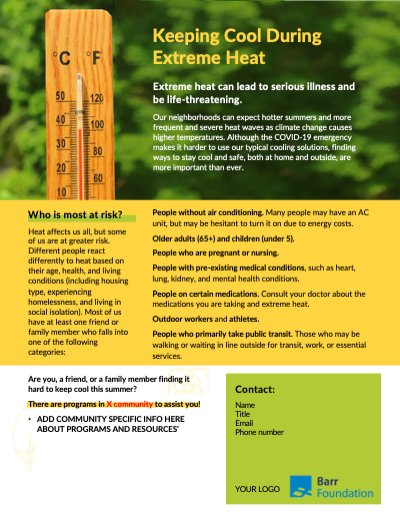
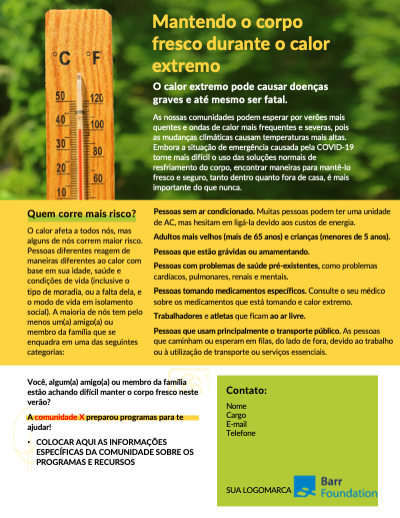
Staying safe in extreme heat is essential in the summer, especially for those without air conditioning. On this page, we’ve compiled flyers, sample social media posts, and images that cities and towns can use to spread the word to their followers. 

Have questions or need help? Please email the MAPC Clean Energy team: [email protected]

More on Extreme Heat

Extreme Heat Flyers (Editable)

Social Media Basics: How to Post

Social Media Tips and Best Practices
  •  Know Your Audience: Who are you posting this information to? Residents? Create your social posts with that audience in mind. 
  • Know the Platform: The social media platform you are using to post on should inform how and what you’re posting. For example, posting on Twitter is for more immediate, word-limited posts. LinkedIn is for professional audiences, and there isn’t a word limit.  Facebook is for more casual posts. You can use the same post across platforms, but we recommend slight modifications to cater to each form of media. 
  • Accessibility: Ensure your social posts are accessible to all by making sure to provide a written description of the images used to your caption (known as alternative text), and if you use hashtags, capitalize the first letter of each word. Learn about ways to make your posts accessible. 
  • Interactive: Amplify other social media accounts such as official sources, agencies, and experts, by sharing or retweeting their posts. Be sure to use the Stories function on Facebook and Instagram for this. 
  • Tag Us! Be sure to tag MAPC in your social posts to reach a larger audience. Please feel free to also retweet any posts we do as well. 
  • Hashtags You Can Use: #ExtremeHeat  #HeatWave #KeepCoolMetroBoston #HeatPrep2023 
How to post on Facebook
How to post on Twitter

Social Media Graphics

Right-click on the images below and choose “save image as” to save to your computer. Then, compose your own social media post or use some of the sample language we provide for each. Also provided is alt text examples for each image.

Canceled due to extreme heat in white and yellow, letters are outlined in black, and the background is a red color.
Aqua snowflake in a white circle. Red box says, Cooling Centers Open. Has text about if you need a space to keep cool and to call 311.
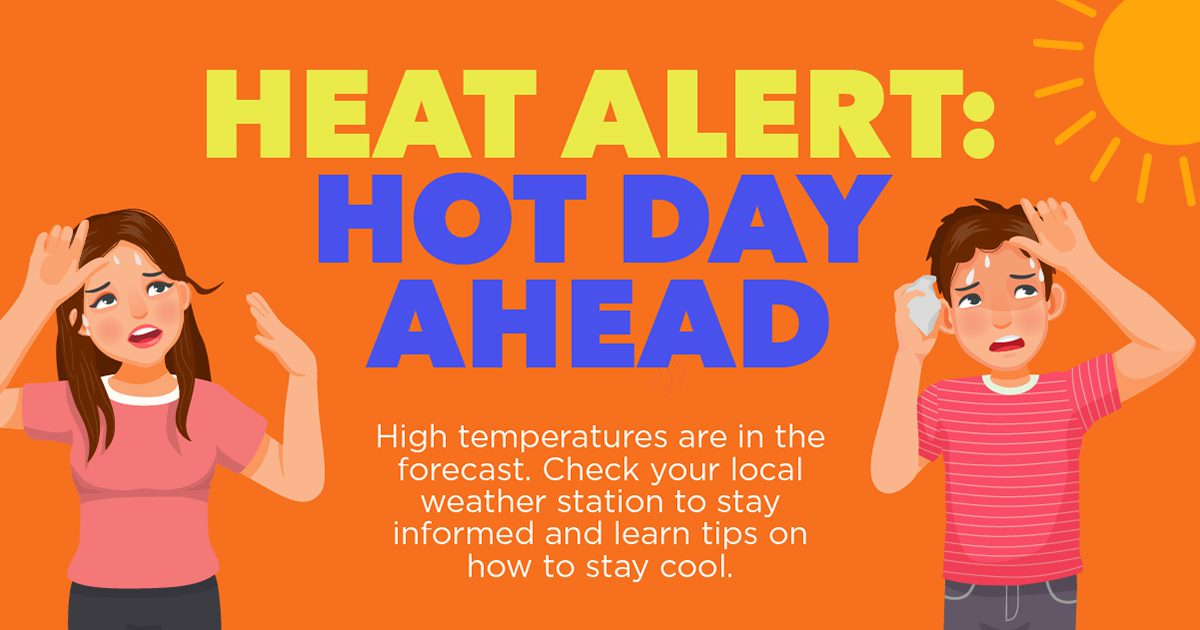
Heat Alert: Hot Day Ahead with smaller text. A illustrated woman in a pink short and an ilustrative man in a pink shirt. Background is orange.
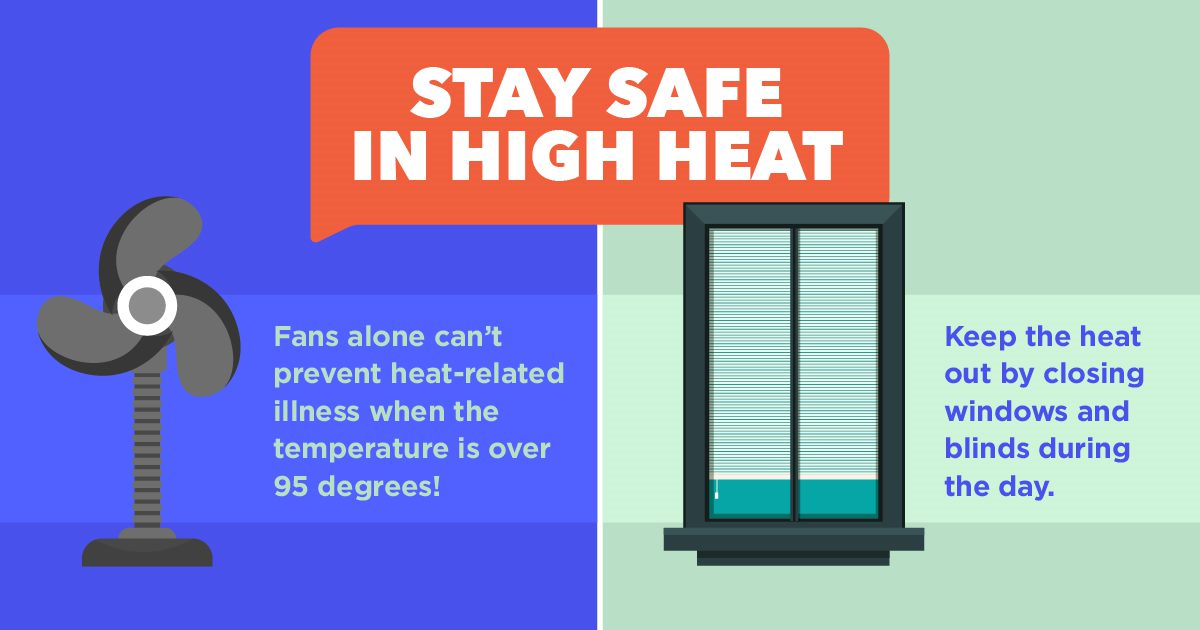
Alt text: graphic split down the center. On the left side, blue background has a fan image and text: “Fans alone can’t prevent heat-related illness when the temperature is over 95 degrees!”. On the right side, light green background has a window image and text: “Keep the heat out by closing windows and blinds during the day.” At the top center of the graphic is an orange conversation bubble with the text: “Stay safe in high heat”.
Alt text: graphic with blue top and orange bottom background. Blue top has text: “never leave pets or children in a hot car.” Orange bottom has text on lefthand side: “It only takes a few minutes for the inside of a car to heat up, even with the windows cracked. Call 911 if you see a child alone in a car or a pet in distress.” On the right-hand side of text is an image of a yellow car with a child and a dog inside.
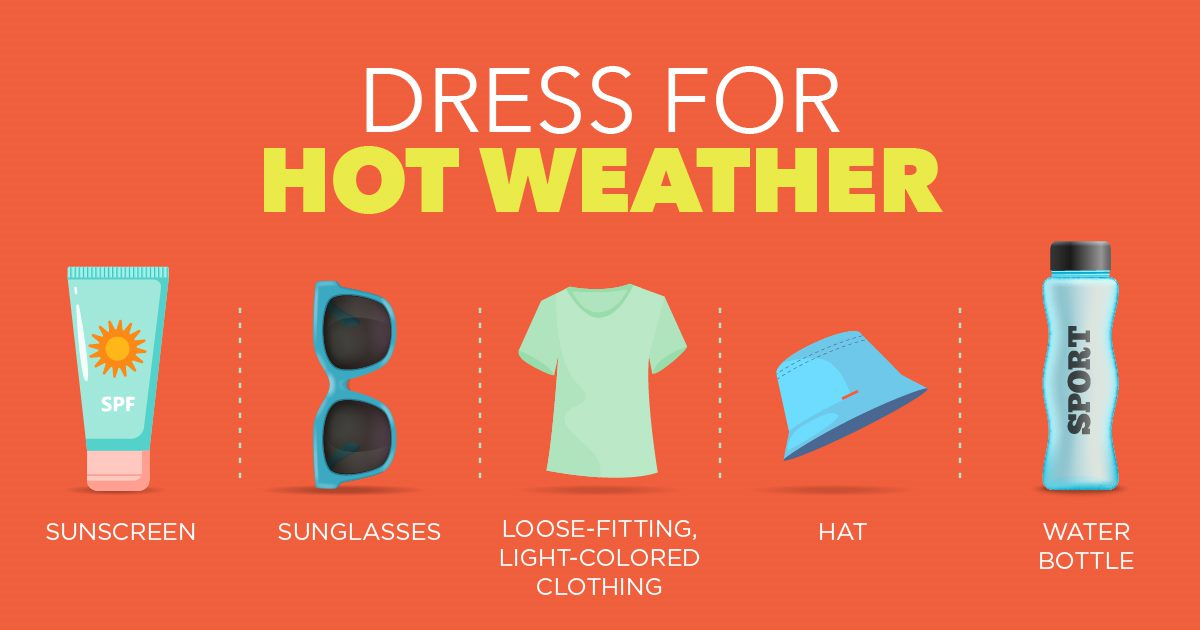
Alt text: graphic with orange background. Center top text: “Dress for Hot Weather”. Below has 5 vertical sections from left to right: sunscreen bottle image with text: “Sunscreen” below, sunglasses image with text “sunglasses” below, green t-shirt image with text “loose-fitting, light-colored clothing” below, blue bucket hat image with text “hat” below, and reusable water bottle with text “water bottle” below.
Alt text: graphic with a blue background. Top left text: “No air conditioning?” with an AC unit image on the top righthand side. Bottom left has an orange conversation bubble with text “Know where to go on very hot days” inside. To the right is additional pink text: “Find public cooling spaces” and “Ask if you can go to a friend, family, or neighbor’s house”.
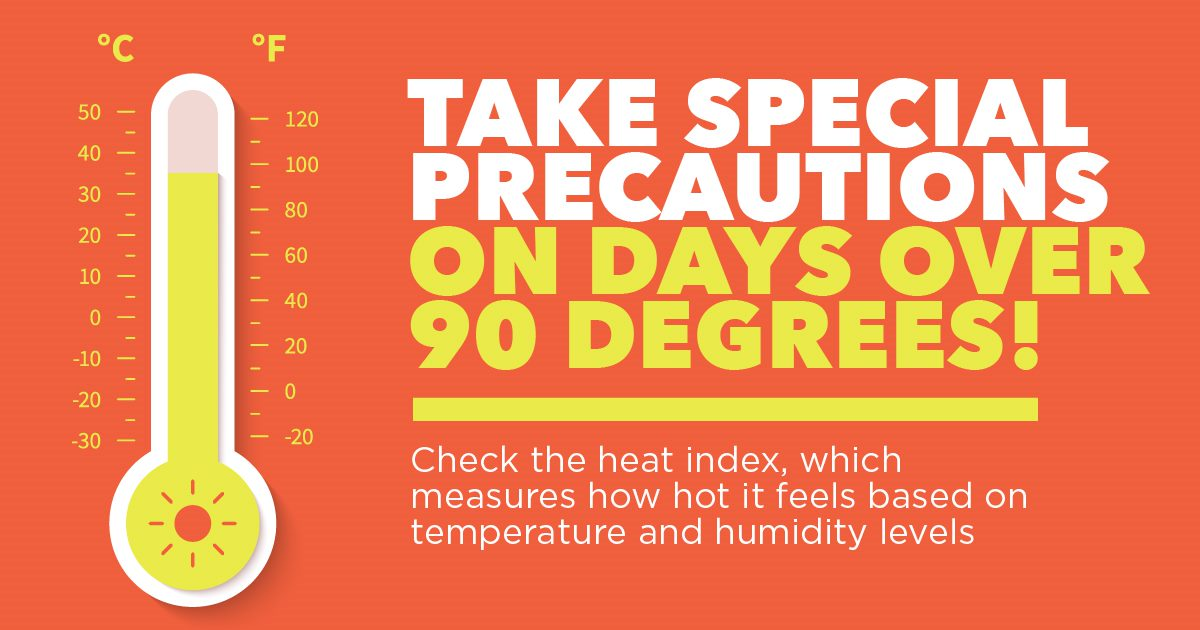
Alt text: graphic with an orange background. Thermometer on the lefthand side. The righthand side includes text: “Take special precautions on days over 90 degrees! Check the heat index, which measures how hot it feels based on temperature and humidity levels”.
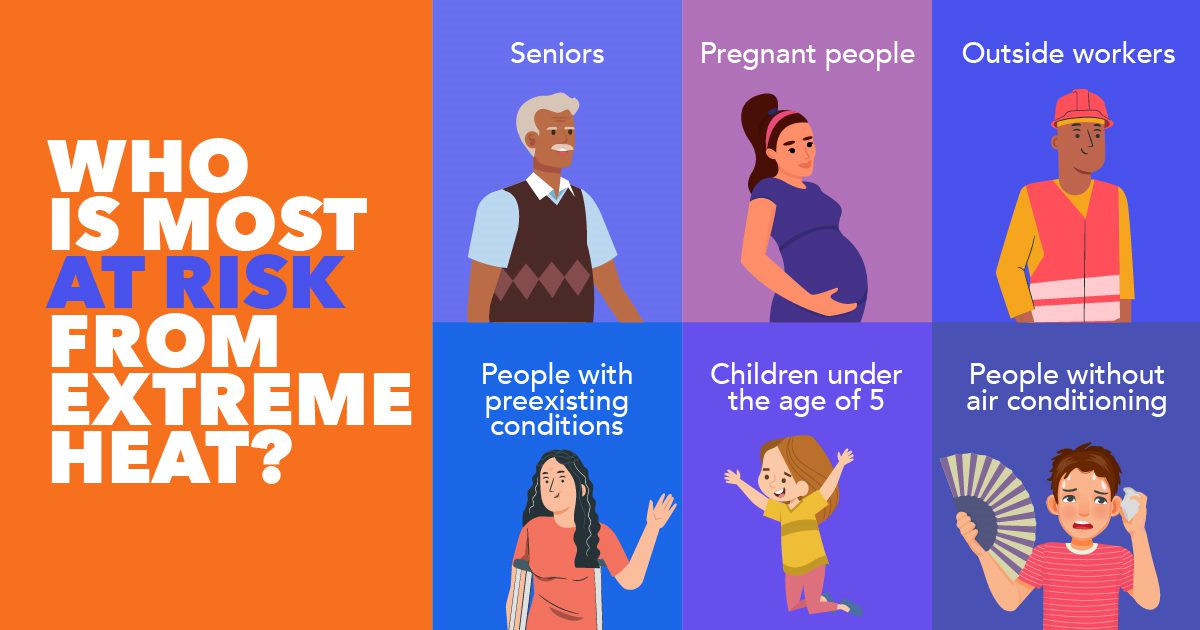
Alt text: graphic with orange rectangle at the leftmost side with text: “Who is most at risk from extreme heat?”. On the right-hand side is six smaller rectangles, 3 across and 2 down. Each rectangle contains white text at the top describing the person imaged at the bottom of the box in the following order from left to right, top to bottom: Seniors, Pregnant people, Outside workers, People with preexisting conditions, Children under the age of 5, People without air conditioning.
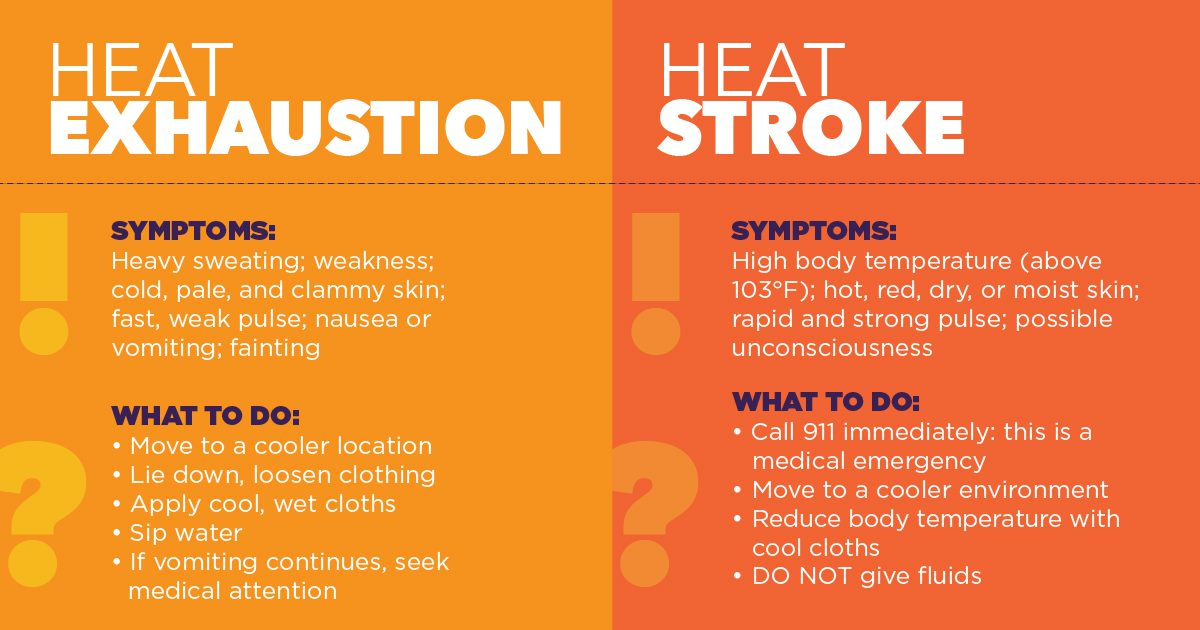
Alt text: graphic with light orange background on left and dark orange background on the right. On the left is the following text from top to bottom: “Heat exhaustion”, “Symptoms: Heavy sweating; weakness; cold, pale, and clammy skin; fast, weak pulse; nausea or vomiting; fainting”, “What to do: move to a cooler location; lie down, loosen clothing; apply cool, wet cloths; sip water; if vomiting continues, seek medical attention”. On the right is the following text from top to bottom: “Heat Stroke”, “Symptoms: High body temperature (above 103F); hot, red, dry, or moist skin; rapid and strong pulse; possible unconsciousness”; “What to do: call 911 immediately: this is a medical emergency; move to a cooler environment; reduce body temperature with cool cloths; do not give fluids”.
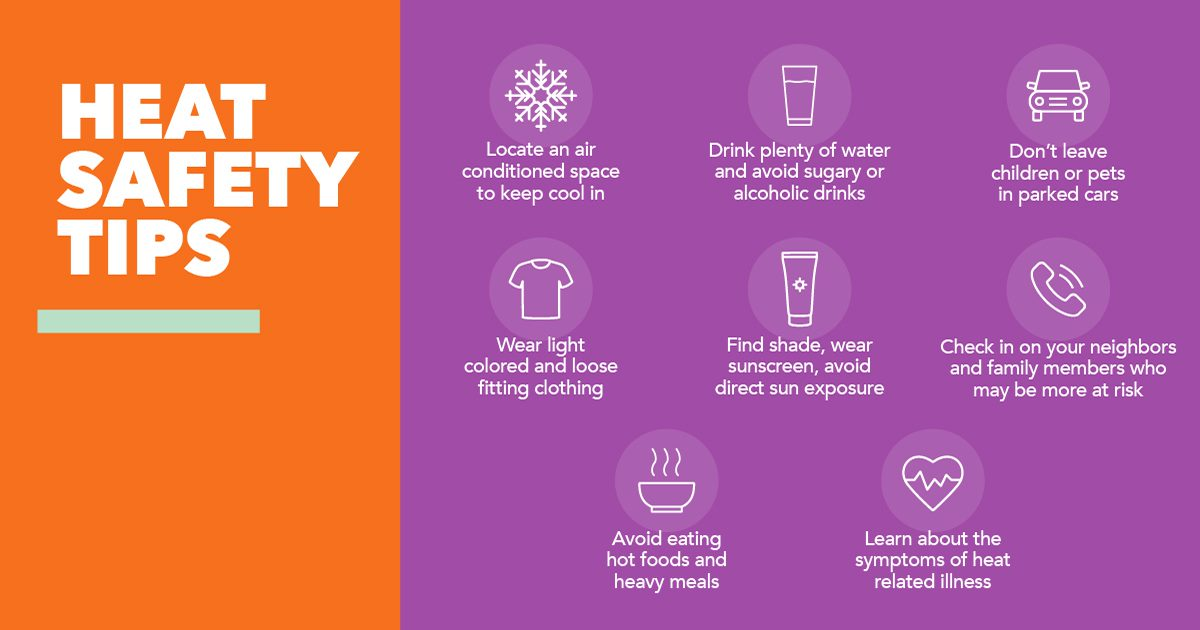
Alt text: graphic with orange background on the lefthand side with text: “Heat safety tips”. On righthand side of graphic is a purple background with 10 images and corresponding text underneath. Text and image from left to right, top to bottom is as follows: snowflake image with text: “Locate an air conditioned space to keep cool in” below; clear cup with water inside image with text: “Drink plenty of water and avoid sugary or alcoholic drinks”; car image with text: “Don’t leave children or pets in parked cars”; t shirt image with text: “Wear light colored and loose fitting clothing”; sunscreen image with text: “Find shade, wear sunscreen, avoid direct sun exposure”; phone image with text: “Check in on your neighbors and family members who may be more at risk”; bowl with steam rising image with text: “Avoid eating hot foods and heavy meals”; heart with heartrate waves going through it image with text: “Learn about the symptoms of heat related illness”.
Alt text: graphic with purple background. Text from upper lefthand corner to lower lefthand corner: “Check on your neighbors! Before and on hot days, check on family, friends, and neighbors, especially the elderly, those who live alone, people with medical conditions, and people who need extra assistance.” To the right of text is five images of people at their windows offering water to one another and cooling down with a fan.
Alt text: graphic with blue background. Text in upper lefthand corner: “Swim safely! Swimming is a great way to stay cool on a hot day. It’s important to be prepared and be aware.” Text in lower righthand corner: “Swim in designated areas that are supervised by lifeguards; always swim with a friend; swim only where you are comfortable; actively supervise children and stay within arm’s reach; don’t drink alcohol and swim”.

Additional Social Media Sample Language

Copy and paste the text below–each paragraph is a new message. Be careful: some sample language needs to be edited with details specific to your municipality.

Staying Cool: Air Conditioning Resources

It’s hot today—turn on your air conditioning! Fans alone can’t prevent heat-related illness when the temp is over 95 degrees.

It’s hot today—turn on your air conditioner. Don’t have one? MassSave offers rebates for energy-efficient AC models! https://www.masssave.com/en/saving/residential-rebates/room-air-conditioners  

On days over 95 degrees, turn on your air conditioning. Don’t think you can afford it? You may qualify for discount rates from your electricity provider. Inquire today!  

(if Eversource is local provider:)
Turn on your air conditioning on days over 95 degrees. Don’t think you can afford it? You may qualify for discount rates from Eversource: https://www.eversource.com/content/ema-c/residential/my-account/billing-payments/help-pay-my-bill/discount-rate 

(If Nat’l Grid is local provider:)
Turn on your air conditioning on days over 95 degrees. Don’t think you can afford it? You may qualify for discount rates National Grid: https://www.nationalgridus.com/MA-Home/Bill-Help/Payment-Assistance-Programs  

Staying Cool: General

Heat affects us all, but some of us are at greater risk. Different people react differently to heat based on their age, health, and living conditions. Check in on your neighbors, friends, and family on hot days to make sure they’re staying cool!

Prepare for hot days! Monitor local weather reports so you know to prepare for very hot days: in the Boston area, days over 90 degrees are considered very hot.  

Where will you cool off? With a big heat wave coming up, have a plan if you don’t have air conditioning. Do you have family or friends with AC that you feel comfortable visiting? Ask them if you can come over if the day gets too hot.  

Going outside? Remember your water bottle! It’s important to stay hydrated on hot days, even if you’re not thirsty. Caffeine, alcohol, and sugary drinks may dehydrate you. #KeepCool 

Headed outdoors? Remember to dress for hot days: wear sunscreen and loose-fitting, light-colored clothing. Bring a wide-brimmed hat, sunglasses, and water!  

It’s going to be over 90 degrees (today/this week/next weekend). This heat can be dangerous: avoid exercise or strenuous activity during the hottest parts of the day, instead, try to go out in the morning or evening. 

It’s going to be over 90 degrees (today/this week/next weekend). This heat can be dangerous. If you must be outside, take breaks, stay out of direct sunlight, and look for shade trees!  

Be a good neighbor: check on family, friends, and neighbors ahead of and on hot days. Make sure they have air conditioning or somewhere to go to keep cool.  

Use with heat stroke vs. heat exhaustion graphic
Know the signs of heat-related illnesses! Call 911 immediately if you suspect someone has heat exhaustion or if someone is vomiting from the heat. 
 

Continue reading...

COVID-19 Social Media Resources

The thermometer on the background of the sun. 3d rendering.
COVID-19 Social Media Resources

Extreme Heat Communications and Social Media Toolkit

A resource for Massachusetts cities and towns

Of all weather-related hazards, extreme heat is responsible for the most deaths annually. In 2022, there were 49 days in Massachusetts where temperatures exceeded 90F. Compared to the averaged 11 days a year from 1971-2000, this increase in extreme heat days is of great concern especially for vulnerable populations (seniors, children, etc). In the Northeast, higher temperatures cause poor air quality, exacerbating existing health conditions. 
Staying safe in extreme heat is essential in the summer, especially for those without air conditioning. On this page, we’ve compiled flyers, sample social media posts, and images that cities and towns can use to spread the word to their followers. 

Have questions or need help? Please email the MAPC Clean Energy team: [email protected]

Extreme Heat Flyers (Editable)

Social Media Tips and Best Practices
  •  Know Your Audience: Who are you posting this information to? Residents? Create your social posts with that audience in mind. 
  • Know the Platform: The social media platform you are using to post on should inform how and what you’re posting. For example, posting on Twitter is for more immediate, word-limited posts. LinkedIn is for professional audiences, and there isn’t a word limit.  Facebook is for more casual posts. You can use the same post across platforms, but we recommend slight modifications to cater to each form of media. 
  • Accessibility: Ensure your social posts are accessible to all by making sure to provide a written description of the images used to your caption (known as alternative text), and if you use hashtags, capitalize the first letter of each word. Learn about ways to make your posts accessible. 
  • Interactive: Amplify other social media accounts such as official sources, agencies, and experts, by sharing or retweeting their posts. Be sure to use the Stories function on Facebook and Instagram for this. 
  • Tag Us! Be sure to tag MAPC in your social posts to reach a larger audience. Please feel free to also retweet any posts we do as well. 
  • Hashtags You Can Use: #ExtremeHeat  #HeatWave #KeepCoolMetroBoston #HeatPrep2023 
How to post on Facebook
How to post on Twitter

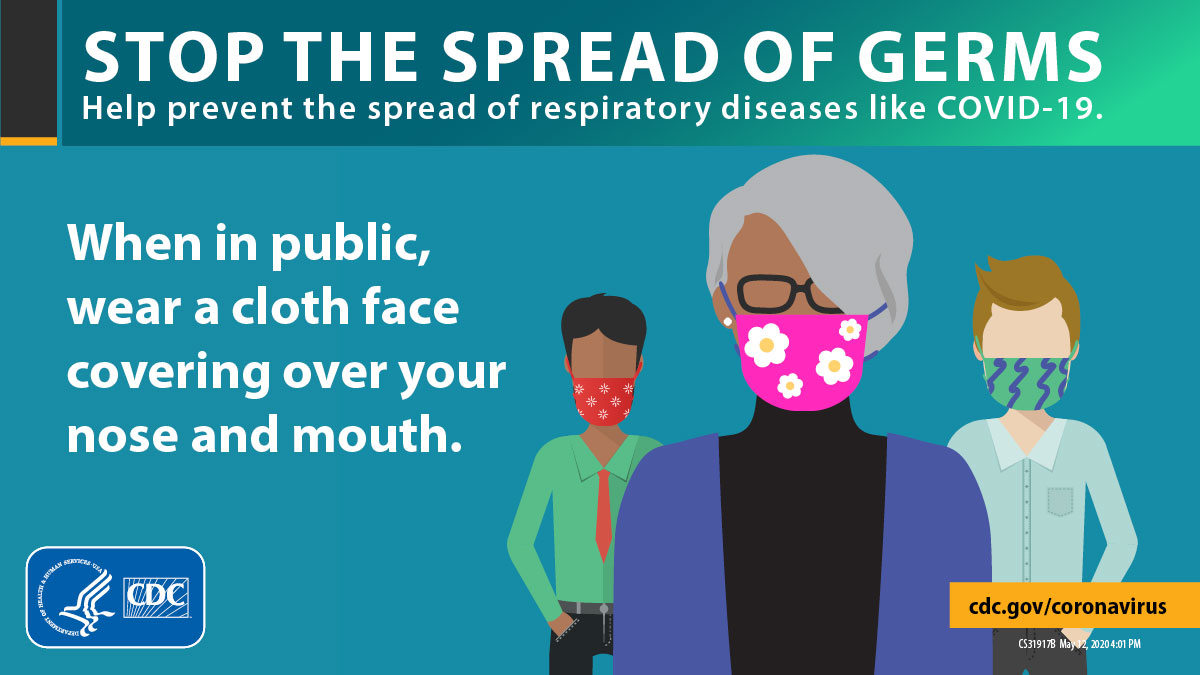
The Center of Disease Control has created a social media toolkit that includes sample messages, graphics, and videos to post on Facebook/Pinterest, Twitter, and Instagram. The toolkit includes messaging on stopping the spread of germs, wearing masks, the “do”s and “don’t”s of cloth face coverings, and social distancing.

To save an image from the website, click on it to expand it to full size. Then, right click and select “save image as.”

stop-the-spread-mask-1200x675

Additional Social Media Sample Language

Copy and paste the text below–each paragraph is a new message. Be careful: some sample language needs to be edited with details specific to your municipality.

Remember, @MassGovernor has ordered everyone to wear a face covering where social distancing isn’t possible: both indoors and outdoors! Do your part to slow the spread: #WearAMask

It’s possible to have COVID-19 without showing symptoms: #WearAMask or face covering in public to prevent unintentional transmission.

Remember to bring a mask or face covering when you leave the house: put it on in situations where you can’t maintain a distance of 6 feet or when you’re indoors in a public space! #WearAMask

If you’re visiting a restaurant, remember to wear a face covering unless you’re seated at your table. Protect yourself, restaurant employees, and your fellow diners: #WearAMask

Wearing a face covering correctly can help prevent the spread of COVID-19 in our community. Remember, a face covering should cover both your nose and your mouth! #WearAMask

If you have a cloth mask or face covering, remember to wash it regularly! Use soap or detergent and hot water to kill any lingering germs. #WearAMask

Keep [city/town] safe! #WearAMask

Other topics to post about:

  • Where to buy or get a free mask in your community
  • Your municipal rules around face coverings
  • If you know that infection rates are rising in your community, call attention to it and remind people about the importance of wearing a face covering.
  • Is there a problem spot where many people don’t wear face covering? Remind people to wear a face covering when they can’t socially distance on the beach/in the grocery store/wherever you’re noticing a problem.

Social Media Graphics

Right-click on the images below and choose “save image as” to save to your computer. Then, compose your own social media post or use some of the sample language we provide for each. Also provided is alt text examples for each image.

Twitter

Facebook

Instagram

Continue reading...

Shared Practices for Engagement in Virtual Meetings

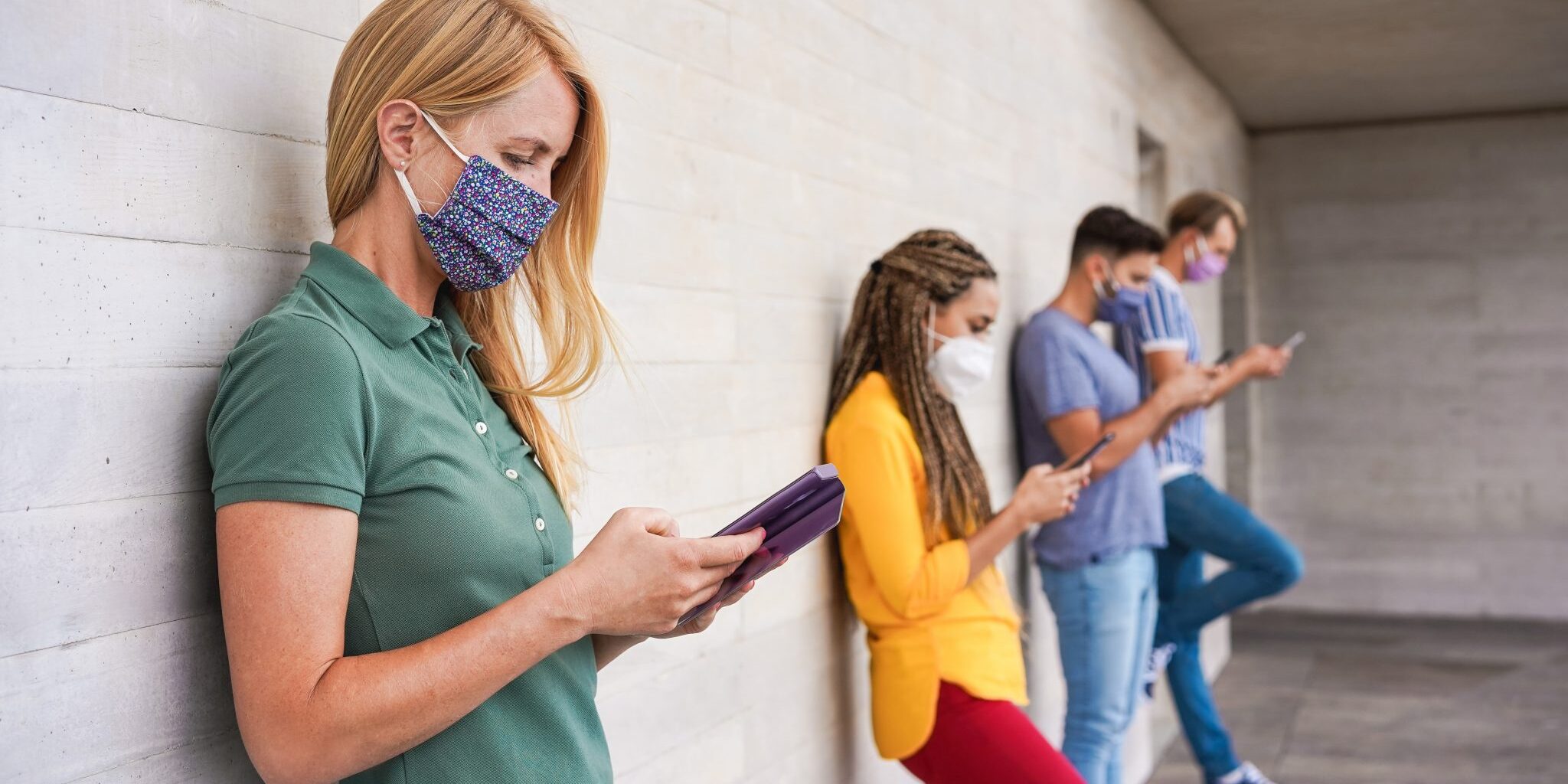
Young people wearing face safety masks using smart mobile phones while keeping social distance during coronavirus time - Technology and covid-19 spread prevention concept - Focus on blond girl hand
Shared Practices for Engagement in Virtual Meetings

Wear a Face Covering:
COVID-19 Social Media

A resource for Massachusetts cities and towns

Encouraging residents to wear face coverings in public is essential to slowing the spread of COVID-19 in Massachusetts. On this page, we’ve compiled sample social media posts and images that cities and towns can use to spread the word to their followers.

Have questions or need help? Email Digital Communications Specialist Elise Harmon at [email protected].

More on COVID-19

The Basics: How to Post

Just like hosting in-person meetings, virtual meetings need time for preparation, consideration of staff roles, and an outreach strategy. Unlike in-person meetings, you will need to make some important decisions about and spend additional time on your technology set up to ensure your meeting runs smoothly. In this section of MAPC’s guide you will find advice about how to set your meeting up for success from personnel, technology and engagement perspectives.

allie-smith-KzUsqBRU0T4-unsplash
Social Media Tips and Best Practices
  • Don’t post everything at once! Try to space out your posts: you can post twice in a day if you’d like, but space posts out so more people will see them.
  • Experiment with posting at different times so that more people are likely to see your messages.
  • Amplify other sources on social media, such as official sources, health professionals, and experts, by sharing or retweeting their posts.
How to post on Facebook
How to post on Twitter

The Center of Disease Control has created a social media toolkit that includes sample messages, graphics, and videos to post on Facebook/Pinterest, Twitter, and Instagram. The toolkit includes messaging on stopping the spread of germs, wearing masks, the “do”s and “don’t”s of cloth face coverings, and social distancing.

To save an image from the website, click on it to expand it to full size. Then, right click and select “save image as.”

stop-the-spread-mask-1200x675
Virtual Platform Settings

If you are using Zoom, make sure you toggle the below settings at least 30 minutes before your meeting. These settings are intended to address large and/or public meetings and will help make your meeting more secure. If you are hosting a small or private meeting, you do not need to address all of these. Some of these settings must be addressed on the Zoom Web Portal prior to launching your meeting and some of them can only be addressed in the Zoom Window after you start your meeting. Lastly, even though these settings are geared towards Zoom, they apply in principal to any platform you are using.

Zoom Setting Overview for Large Meetings

Disable/Turn Off These Settings Enable/Turn On These Settings Optional Settings
  • Turn off participant video (for large meetings)
  • Turn off authentication requirement for all users on all platforms (this setting forces people to create Zoom accounts but does not necessarily make your meeting more secure)
  • Disable “Allow Removed Participants to Re-join”
  • Disable participants from using profile pictures in a meeting (these are the pictures that appear when video is turned off)
  • Disable participants from saving the chat
  • Disable “Allow participants to rename themselves”
  • Disable annotation for participants
  • Disable “File Transfer”
  • Disable Screen Sharing for participants
  • Disable “Join Before Host”
  • Disable “Private Chat”
  • Disable “Participants Can Unmute Themselves”
  • Disable “Virtual Background”
  • Disable “Far end camera control”
  • Enable telephone and computer audio for participants
  • Enable Chat (but only to all participants)
  • Enable muting participants upon entry
  • Enable Screen Sharing for host only
  • Turn on the chat auto-save
  • Enable “Co-Hosts”
  • Enable Personal Meeting ID
  • Turn on the sound notification when a participant joins or leaves, heard by host only
  • Turn on “Always show meeting control bar”
  • Turn on “Waiting Room”
  • Enable meeting password
  • Enable embed passcode in invite link for one-click join
  • Enable nonverbal feedback
  • Enable meeting reactions
  • Upcoming meeting reminder
  • Display end-of-meeting experience feedback survey for every meeting
  • Zoom polling
  • Zoom Breakout Rooms
  • Show Zoom windows during screen share (allows you to prevent participants from seeing zoom windows during screen share)
  • Zoom Whiteboard
  • Remote control (allow others to control screen share content)
  • Closed captioning
  • Language interpretation
  • Remote support (allows a user to request assistance from the host
  • Livestreaming
Physical Setup
Technology Setup
Changing your View in Zoom
Zoom and Screen Sharing
Preventing Meeting Disruptions (ZoomBombing)
Setting Up Your Meeting to Protect Against ZoomBombing
Responding to ZoomBombing

Facilitating Your Meeting

Facilitating a virtual meeting requires different techniques and methods than facilitating an in-person meeting. While virtual platforms lack some of the best ways to make meetings engaging, there are some things that you can do to make your meeting a good experience for all involved. This section will review how to approach different parts of the meeting, from the moment participants log on to the moment they log off.

A woman with dark brown hair and who is wearing a pink sweater sits in front of a computer screen on a virtual call.
General Recommendations

Below are some general facilitation guidelines based on how large your meeting is. Some of these functions will depend on whether your meeting is public or private.

For 0 to 15 people Up to 30 people More than 30 people
Participant can unmute and share their perspectives

Encourage participants to use the chat function for questions and comments

Use visual cues more during the meeting: physically raise your hand, give a thumbs up!

Encourage more open dialogue and conversation

Ask for interaction by calling people by name

Mute all participants upon entry

Turn off the ability for participants to unmute themselves

Ask for interaction by calling people by name and unmuting them

Encourage participants to use the chat function for questions and comments

Use the chat function instead of visual cues, which will be difficult to do in a meeting this large

Mute all participants upon entry

Turn off the ability for participants to unmute themselves.

Ask participants to turn off their video

Use live polling or surveys to capture feedback quickly

Add more tech support: up to three other people besides the facilitator

Consider using Break out groups for more detailed conversations

Do not rely on visual cues for responses

Consider providing an IT support phone number

During Log-in
Starting your Meeting
Managing Participating during the Meeting
Using the Chat
Taking Notes During the Meeting
Managing Technology During the Meeting
Guidelines for Recording
Zoom and Breakout Rooms
Zoom and Polls

Responding to Specific Technical Issues

As you are facilitating your meeting, you might run in to some specific technical issues. It happens to even the most prepared and seasoned virtual facilitator. This section reviews several specific scenarios and discusses some potential solutions to each.

Remember: If things are going wrong, that is okay – let your Participants know what you are doing so that they are aware of what is happening and everyone is on the same page. You will make it better next time!

After Your Virtual Meeting

After your meeting is over, you will want to connect with your team and participants. This section reviews some suggestions about closing the participation circle.

Debrief with Your Staff Team

    • Debrief how the meeting went and identify plusses and deltas
    • Practice troubleshooting any problems that came up to be aware of for the next time
    • Share any ‘aha’ moments or new best practices with your entire staff team so that you can help each other grow in your facilitation!

Communicate with Participants

Send a follow up email that includes:

    • A reminder about the recording and information on how it will be shared (or a link to the recording if it is ready).
    • Reminder of the approval they had given to use the recording.
    • Request for feedback regarding the meeting (both content-wise and technology/facilitation-wise.
    • Any important information for future events or meetings.

Additional Recommendations

Zoom has numerous functions that can help you make sure that your meetings are accessible to a wide range of participants. This section reviews several of those functions.

Enabling and Using Language Interpretation

Using Closed Captioning in a Meeting

Enabling and Using Language Interpretation

Preparing Interpretation

    • You must provide the interpreter.
    • Set up a meeting with the interpreter ahead of time to make sure they know their role and know how the interpretation function works in zoom.

Limitations

    • Interpreters cannot submit questions to the main chat because they are in their own language “room” and therefore are not in the main room.
    • Cloud recording will only record the main audio, not any of the interpretation audio channels. Local recording will record any audio that person is hearing, including any interpretation.


    • If you want to record the interpretation, you must have a participant join that audio channel and locally record.
    • Similarly, language interpretation does not work well with breakout rooms, as the interpreter will only be able to hear the audio of the breakout room they are in.

Using Closed Captioning in a Meeting

Note: You can assign a participant to live-type the closed captions, however Zoom recommends that you use a third-party API for closed captioning in breakout rooms. Because you can only assign one participant to type closed captions, only the breakout room they are in will have closed captioning.

    • Using a Third-Party API for Closed Captioning: There are numerous options for this, however none of them are free. MAPC uses Rev.com for interpretation, however other organizations have used Otter.ai. Zoom also provides captions on meeting recordings (not live) using Otter.ai. You can learn more about Otter.ai here. You can learn more about third-party closed captioning in zoom here.
    • Note: Live Captions do not work with Livestreaming or in Breakout Rooms

Livestreaming

You can share your meeting or webinar live on YouTube, Facebook, or another service (like the local cable access TV). Doing this will make your meeting more accessible to people in your community, comply with public meeting laws, and ensure that folks without internet access can view (in the case of CATV). Zoom has very detailed instructions for setting up and deploying your livestream, which you can find below. One important thing to note is that if you are using another organization’s YouTube or Facebook or using CATV, you need information from those organizations in order to set up your stream.

Continue reading...

Planning For Net Zero Forum Resources

DSC_0036
Planning For Net Zero Forum Resources
Zero to 101

Planning for Net Zero
Forum Resources

MAPC’S 2017 CLEAN ENERGY FORUM

Bringing Net Zero to 101 Cities and Towns and Beyond

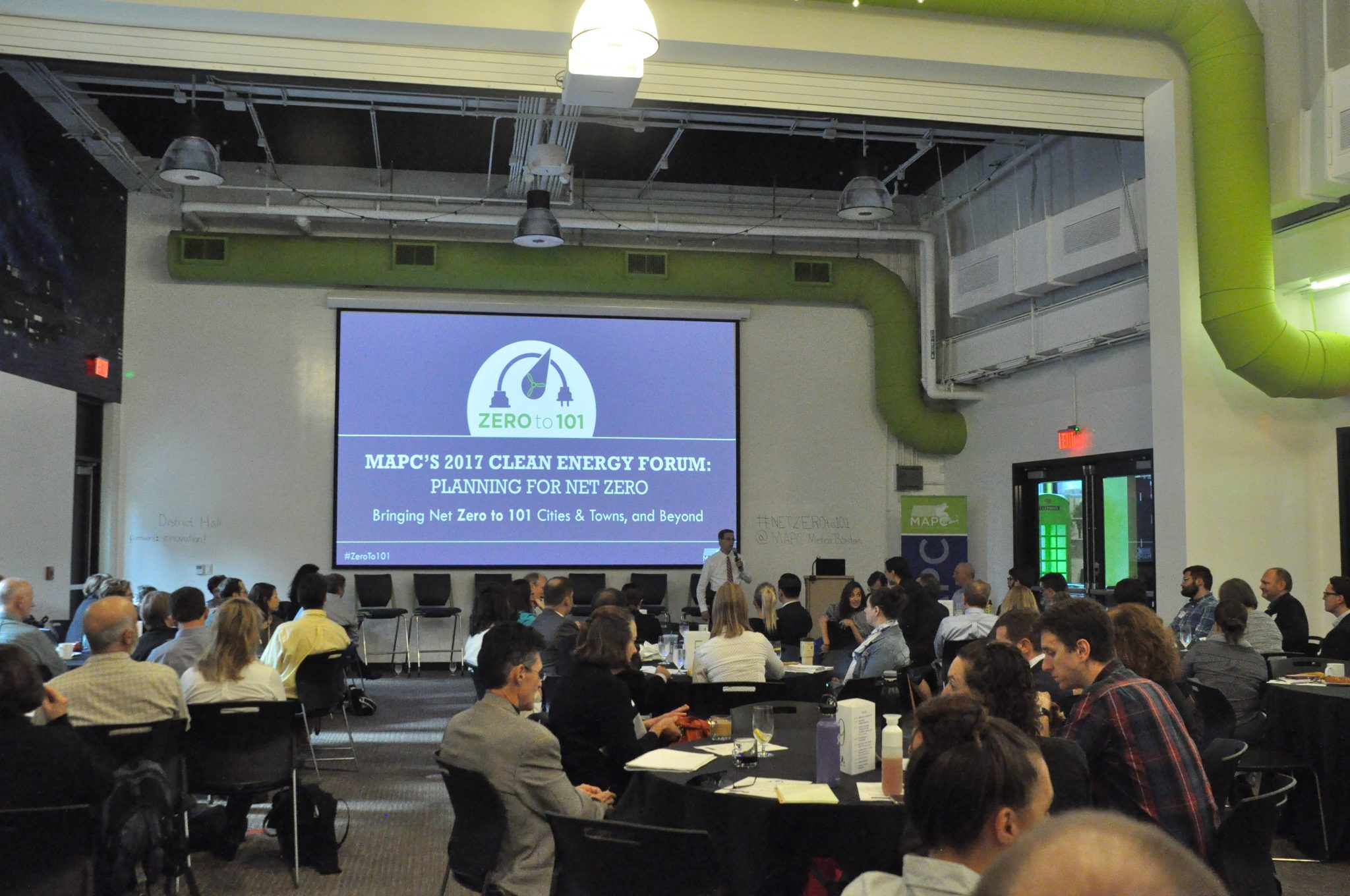
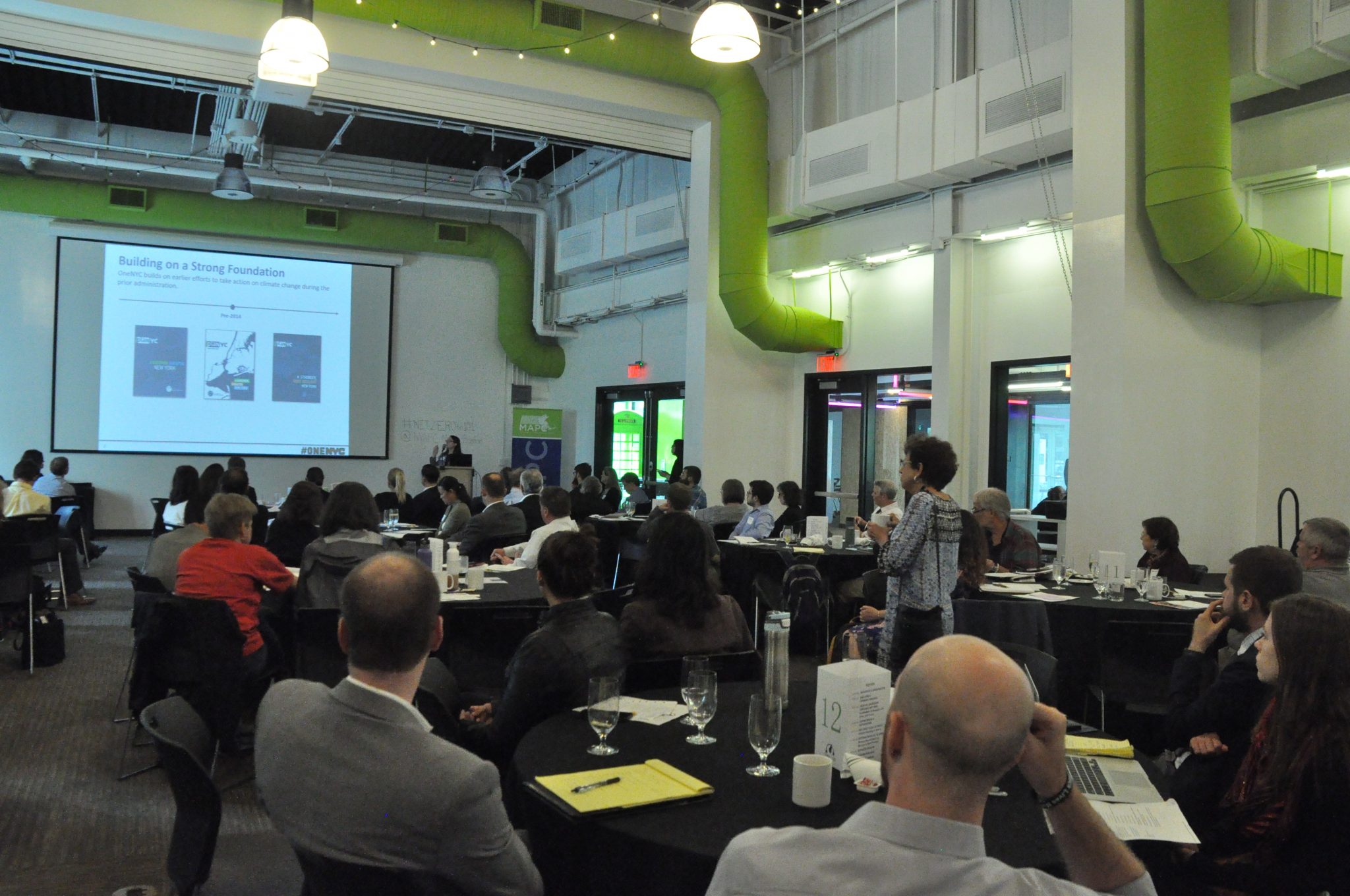
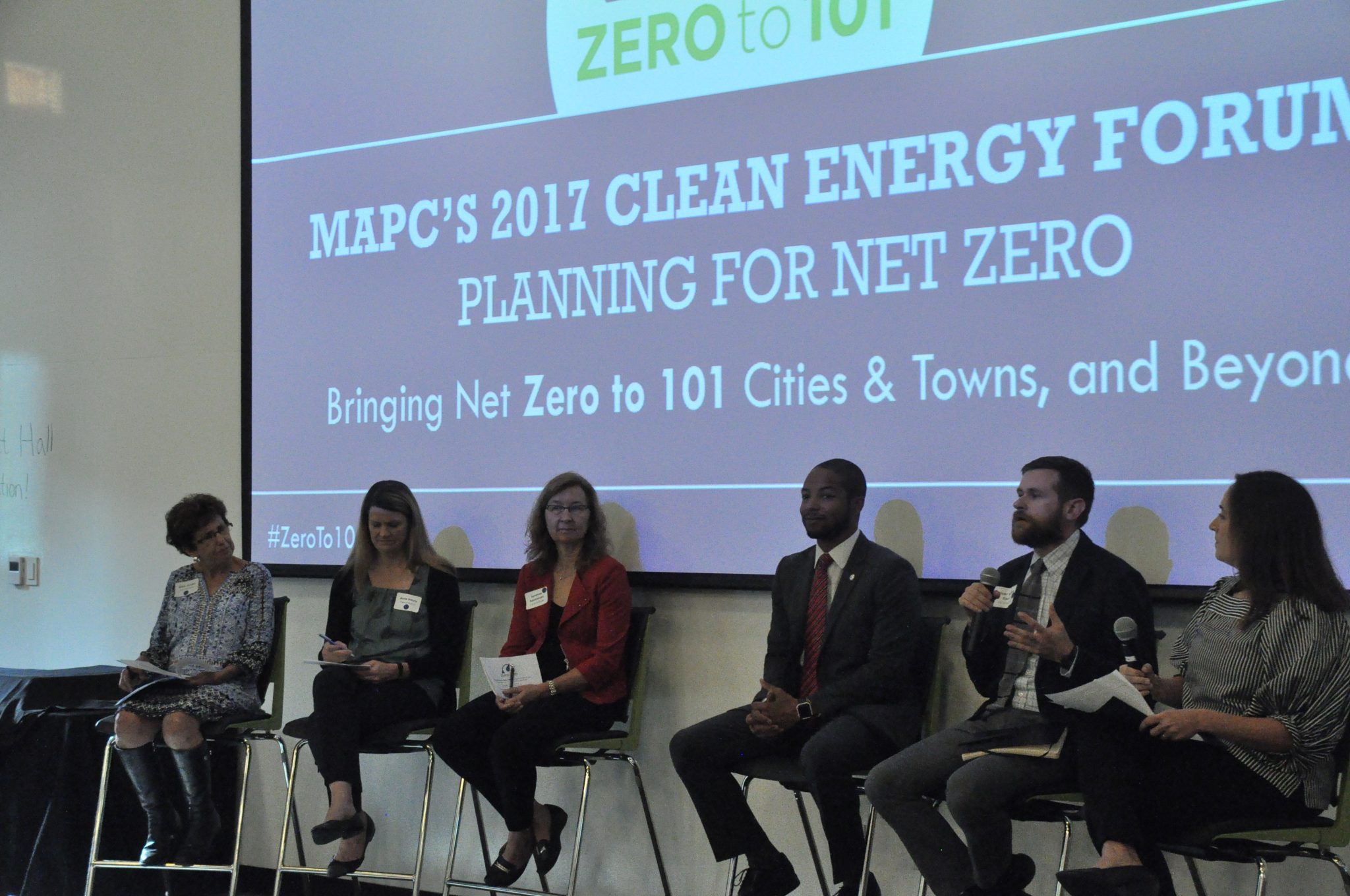
MAPC’s 2017 Clean Energy Forum: Planning for Net Zero was held on October 11, 2017, at District Hall in the Boston Seaport District. The Forum was a part of MAPC’s Zero to 101 Series: Bringing Net Zero to 101 Cities and Towns and Beyond and engaged over 100 stakeholders on how to take a holistic approach to net zero planning & strategies to start achieving net zero goals.  The cities of Boston, Cambridge, and Somerville, and Towns of Concord and Wayland shared their progress and insight on working towards net zero goals. MAPC staff from the Clean Energy, Land Use, Transportation, Environment, and Public Health Departments introduced attendees to the variety of ways MAPC can help them to deploy multi-benefit strategies to reduce greenhouse gas emissions. Climate leaders facilitated robust and thoughtful discussions throughout the room with attendees on barriers, best practices, and resources for communities setting out on net zero planning.

Image is of a blue electric cord with a plug circling behind a blue water drop with light green wind turbine blade inside of it. Text below the illustration is in light green and says, "Zero to 101".

FROM 101 to NET ZERO


Questions?

For more information about Net Zero Planning, contact Megan Aki, Clean Energy & Climate Systems Manager.

BACK TO MAIN MENU

Learn more

Climate Leadership through Net Zero Planning: A Dialogue with Cities & Towns

Keynote: Suzanne DesRoches

Susanne DesRoches | Deputy Director for Energy & Infrastructure, NYC Mayor’s Office of Sustainability

Susanne DesRoches is the Deputy Director for Energy & Infrastructure at the New York City Mayor’s Office of Recovery and Resiliency where she focuses on adapting regional infrastructure systems to climate change. In this role, she oversees analysis and advocacy on a wide range of regulatory and legislative energy matters before the New York State and federal government.

She also leads the NYC Climate Change Adaptation Task Force, a group of 60 public and private infrastructure operators, to identify climate risks, coordinate adaptation strategies and develop resiliency design guidelines.

Suzanne DesRoches – Keynote Presentation

Resources from Our Climate Leaders

SolSmart Resources

Chelsea, Boston, Melrose, Cambridge, Winthrop, Natick, and Somerville were awarded their SolSmart designations at the forum, showing that they have each achieved measures to reduce solar soft costs and be a solar ready community.

Explore SolSmart resources for your community here or apply for SolSmart designation here.

Continue reading...

Community GHG Inventories

A large power plant with a large wind turbine next to it. There is a green marsh surrounding both.
Old fossil fuel power station and wind turbine at the Mystic River, Boston | Photo Credit: AdobeStock_836763750
Community GHG Inventories
Clean Energy

Community Greenhouse Gas Inventories

Greenhouse gas (GHG) inventories are essential to informing any climate action plan. An inventory allows you to identify and target the largest sources of greenhouse gas emissions in your community and provides a baseline to measure the impact of future climate mitigation programs.

A GHG inventory quantifies the emissions released from a defined geographic area (e.g city, town, state etc.) during a given year. The data provides a local understanding of how residents, businesses, and municipal operations contribute to a community’s carbon footprint. Developing a comprehensive GHG inventory of your city or town can be a challenging task, so MAPC has developed resources and tools to streamline this process for your community and provide support along the way.


Questions?

For more information about Net Zero Planning and using the MAPC Community Greenhouse Gas Inventory tool, contact: [email protected].

Build Your GHG Inventory with MAPC

Communities can use MAPC’s Community Greenhouse Gas Inventory Tool to develop their own local inventories. MAPC developed an accompanying Step-by-Step Guide to Greenhouse Gas Inventories for Massachusetts Cities and Towns to support communities through the data collection process and best practices for developing a GHG inventory. Both of these resources will help you to account for a variety of emissions resulting for activities taking place within your City or Town. This includes emissions from stationary energy transportation, and waste disposal sectors.

Blue icon of a house with a lightening bolt/energy shape in the middle of the house.
Blue icon of the front of a bus.
Blue icon of a closed dumpters.

Learn How to Use MAPC’s Tool

Our Clean Energy Department is available to support local staff and volunteers in understanding how to use these new resources to develop their own GHG inventory. On June 25, 2020, MAPC and DNV GL Energy Insights hosted a virtual training on MAPC’s Community GHG Inventory Tool and Step-by-Step Guide.

Listen to the webinar recording to get to know the basics of GHG inventories, hear from the Town of Arlington on local best practices, and undertake a deep dive on data collection for each sector.

Watch the Webinar Recording  |  Download the Webinar Presentation Slides

Community GHG Inventory Tool

MAPC’s Community GHG Inventory Tool will allow cities and towns to develop their own GHG inventories for their community. After answering a series of questions about the towns emission’s throughout the year, the tool will compile the year’s data into a comprehensive GHG inventory for the community’s use.

Download the 2022 GHG Inventory Tool (V6.0 – February 28, 2025)

Tool Version Log: Updates & Corrections Tracker (updated February 2025)

Download Example Inventory (Town of Natick – Updated February 2025)

Download 2017 GHG Inventory Tool (V4.2 – April 7, 2021) 

Step-by-Step Guide

We recommend the user reviews our Step-by-Step GHG Inventory Guide to get the most out of this tool. This guide will support the community throughout the data collection process, will provide guidance to fill data gaps where information is not readily available, and teach you how to track your communities emissions over time.

Download the Guide (Updated March 2025)

Have Questions, Feedback, or Encounter an Issue?

Ask us questions, provide feedback, or report any issues that you have encountered while using the tool using this form.

More GHG Inventory Resources

ICLEI ClearPath Tool – An online software platform to complete greenhouse gas inventories and climate action plans at both the community and government scale.

EPA Local Greenhouse Gas Inventory Tool – The Environmental Protection Agency’s (EPA’s) Local Greenhouse Gas Inventory Tool was developed to help communities across the US evaluate their greenhouse gas emissions. This tool can compile a greenhouse gas (GHG) inventory for your community or for local government operations.

Massachusetts State Greenhouse Gas Inventory – The Massachusetts’ Department of Environmental Protection’s (MassDEP’s) annual updates to the state’s greenhouse gas emissions profile and progress on reductions by sector.

Continue reading...

Addressing the Opioid Epidemic: Information Sharing Toolkit

This Metro Mayors Coalition (MMC) initiative is the result of recommendations from the 2017 MMC Opioid Forum.

Box_Cover_Only_WEB
Addressing the Opioid Epidemic: Information Sharing Toolkit

A major challenge in providing care and ongoing support for people with opioid use disorders is effectively and legally sharing information.

Individuals with a substance use disorder (SUD) interact with a range of organizations and individuals, from hospitals to police officers, recovery coaches, or family members. Helping people with SUDs recover often requires that those parties work together and understand the circumstances of those in recovery in as close to real time as possible. There are of course operational barriers to effective information sharing, but of equal importance is an understanding of the legal parameters that delineate what medical and addiction treatment information can be shared – and shared by whom, and with whom; with whose consent; in what formats; and when.

Acknowledgements:

Harvard Cyberlaw Clinic: Austin Bohn, Mason Kortz, Michael Roig

MAPC Logo with Name
Metro Mayors Logo Transparent
HOW TO STAY UPDATED:

Sharon Ron

CONTENTS

Navigate this toolkit by clicking on the sections below.

The content of this resource was developed by the Harvard Law School CyberLaw Clinic.

The Clinic conducted this work in support of a project the Metropolitan Area Planning Council (MAPC) is leading on behalf of the 15 cities and towns in Greater Boston’s inner core that make up the Metropolitan Mayor’s Coalition (MMC).

A forum held in May 2017 and subsequent engagement with municipal public health and safety personnel from MMC communities identified information sharing as a key challenge in addressing the opioid epidemic for local governments. This project intends to help municipal officials improve information sharing approaches and this document is intended to inform their options.

This is designed to address some basic questions for organizations and municipal officials about the laws that govern medical and addiction treatment related information. To achieve that goal, this resource summarizes federal and state data sharing laws and their application; presents the role of consent regimes that enable information sharing; provides some scenario-based examples to inform practice; and describes data sharing models that currently exist.

By no means is this resource comprehensive and the statements herein do not constitute formal legal advice. The rules governing data sharing can be highly case-specific and different circumstances may result in different applications. Talking to appropriate legal counsel is therefore recommended before implementing any data sharing plans.

OVERVIEW OF FEDERAL AND STATE PRIVACY LAWS

FEDERAL LAWS REGULATING DATA SHARING

The primary, federal bodies of law that apply are HIPAA’s Privacy Act,
HIPAA’s Part 2, and FERPA.

The Standards for Privacy of Individually Identifiable Health Information (“Privacy Rule”) is the implementation of the Health Insurance Portability and Accountability Act (“HIPAA”) to protect certain healthcare data. The Confidentiality of Substance Use Disorder Patient Records (“Part 2”) imposes additional restrictions on the disclosure and use of substance use disorder patient records. Depending on the person or organization holding the data, and the nature of the information involved, healthcare data may fall under the Privacy Rule, Part 2, or both.

HIPAA Privacy Rule

Under 45 CFR Parts 160 and 164, the Privacy Rule applies to all covered entities and business associates.

Covered entities include health plans, health care clearinghouses, and health care providers who transmit any health information in electronic form in connection with a transaction covered by the Privacy Rule. Government agencies may be covered entities. For example, Medicare and Medicaid are health plans, and public health agencies that process data or facilitate health information exchanges may qualify as health care clearinghouses.

Business associates are organizations that handle Protected Health Information (PHI) on behalf of covered entities, usually as contractors. Common business associates include data storage providers, benefits managers, patient portal providers, and legal, business, or accounting firms.

What data does the Privacy Rule apply to?

The Privacy Rule prohibits a covered entity or business associate from using or disclosing PHI, except as otherwise permitted.

The Privacy Rule does not restrict information that has been de-identified. De-identified protected health information is health information that does not identify, nor could be reasonably used to identify, an individual. The Privacy Rule defines 17 specific pieces of information that must be removed for PHI to be de-identified, as well as a catch-all for any unique number, characteristic, or code that is associated with an individual.

However, de-identified data can include a code used internally by the covered entity to identify an individual, as long as that code is not made available outside the covered entity.

What exceptions from the Privacy Rule are available?

With proper HIPAA authorization, most data can be disclosed. Additionally, some information may be shared with some parties based on a simple, unwritten agreement by the patient (see the “Consent” section below). There are also some situations in which a covered entity (or business associate) may disclose PHI without authorization or consent.

The limits of these exceptions are not always clear. For example, there is no definition for what constitutes being “involved with” a patient’s care. Guidance from the Department of Health and Human Services (HHS) describe it as including close friends, caregivers, and home health aides, but does not expressly limit it to those circumstances. Similarly, the “public health” exception has been the subject of much debate and even some litigation. The few judicial opinions available suggest that the exception applies to tracking or preventing disease and injury on a large scale but not to individual interventions or treatment. However, exactly where the line should be drawn is still an open question.

HIPAA Part 2

Part 2 applies to any substance abuse information obtained by a federally assisted substance abuse program, which means any program that (1) directly or indirectly receives federal funds, is federally licensed, or is tax-exempt under federal law and (2) primarily provides substance abuse treatment. Such programs may include an individual, entity, or identified unit within a general medical facility holding itself out as providing, and provides, substance use disorder diagnosis, treatment, or referral for treatment. Such programs also include medical personnel or other staff in a general medical facility whose primary function is the provision of substance use disorder diagnosis, treatment, or referral for treatment, and who are identified as such providers.

What data does Part 2 apply to?

Part 2 restricts disclosure of information that could reasonably be used to identify an individual as having or had a substance use disorder either directly, by reference to publicly available information, or through verification of such identification by another person.11

Part 2 does not restrict information that has been de-identified. De-identified PHI is health information that does not identify, nor could be reasonably used to identify, an individual. The Privacy Rule defines specific requirements for data to be considered de-identified in 45 CFR § 164.514.

What exceptions from Part 2 are available?

HIPAA Part 2 has a much stronger prohibition against use and disclosure than the Privacy Rule. Part 2 allows for communications within a substance abuse program, or between a substance abuse program and an entity that has direct administrative control over it, such as a hospital that contains a substance abuse clinic. However, even these disclosures are on a “need to know” basis—they are limited to those persons who need the information in connection with the provision of diagnosis, treatment, or referral for treatment of patients with substance use disorders. Records can also be disclosed in a medical emergency; the substance abuse program must document any disclosure made under this rule.13 Any other disclosure requires authorization compliant with Part 2 requirements.

Family Educational Rights and Privacy (FERPA)

FERPA applies to educational agencies and institutions that receive funds under any program administered by the U.S. Department of Education. This law exists because these educational agencies generally would not be covered entities under HIPAA.

An educational agency subject to FERPA may not have a policy or practice of disclosing the education records of students, or personally identifiable information from education records, without a parent or eligible student’s written consent. An “eligible student” is a student who is at least 18 years of age or one who attends a postsecondary institution at any age.

Education records are records that directly relate to a student and are maintained by the educational agency or by a party acting for the agency or institution. At the elementary or secondary level, a student’s health records, including immunization records and records by a school nurse, maintained by an educational agency subject to FERPA are considered education records. As education records, the information is protected under FERPA and not HIPAA. Education records also include transcripts, disciplinary records, and attendance information.

De-identified education records may be shared without consent under FERPA.

FERPA protects personally identifiable records and information.

Personally identifiable information includes but is not limited to:

  • The student’s name or address, or that of their family;
  • Any personal identifier, such as a social security number, student number, or biometric record;
  • Indirect identifiers, such as the student’s date of birth, place of birth, and mother’s maiden name;
  • Other information that, alone or in combination, is linked or linkable to a specific student that would allow a reasonable person in the school community, who does not have personal knowledge of the relevant circumstances, to identify the student with reasonable certainty; or
  • Any other information, if the educational agency or institution reasonably believes that the requester knows the identity of the student involved.

What exceptions are available from FERPA?

There are two exceptions that allow disclosure of education records without consent.15 In either circumstance, the disclosure may only occur on the condition that the receiving party will not disclose the information to any other party without the consent of the parent or eligible student.

MASSACHUSETTS STATE LAWS REGULATING DATA SHARING

Massachusetts privacy law is not as comprehensive as HIPAA or HIPAA Part 2. Under Massachusetts General Law, MGL c.111, s.70E, the “Patients’ Rights Law,” patients are conferred a broad right to “confidentiality of all records and communications to the extent provided by law” and are granted the right to “informed consent to the extent provided by law.” However, despite its sweeping language, the Patients’ Rights Law has been interpreted to permit the sharing of private health information insofar as it is done in compliance with HIPAA and Part 2.

Other discrete laws and regulations impose piecemeal restrictions that, by and large, are consistent with or slight variations on the federal confidentiality regime.

MGL c.94c, § 18B

Voluntary Non-Opioid Directive Form

This law directs the health departments to create forms, which would be voluntarily signed by patients, directing hospitals not to administer opioids to them.

MGL c.94c, § 24A
MGL c.111, § 70F
MGL c.112, § 12A
MGL, c. 112, § 135A
MGL c.112, § 172,

Other Massachusetts State Laws that Regulate Data Sharing

For the purposes of this project, 104 CMR 27.17 (which governs mental health facilities), largely align with HIPAA in terms of what private health information may be disclosed. Written authorizations are required for the disclosure of private mental health information, barring exigent circumstances. On the subject of mental health, the report “Sharing Behavioral Health Information in Massachusetts” is quite useful.17 Similarly, 105 CMR 165.084 (the regulation governing substance abuse programs) limits disclosures except where consistent with “42 CFR Part 2, and 45 CFR Parts 160 and 164 (HIPAA Privacy and Security Rules).”

On the subject of school record privacy, 603 CMR 23.00 regulates the use and disclosure of such documents. Disclosure of school records to third parties is only possible with the informed written consent of an eligible student or that student’s parents. An eligible student is one who is 14 years old or has entered the 9th grade. The student or parent is able to designate which parts of the record can be disclosed. Copies of the record must be offered to the student or parent. Personally identifiable information may only be disclosed to a third party “on the condition that he/she will not permit any other third party to have access” to that information without the written consent of the student or parent.

The type of consent required for the sharing of private information is contingent on two main factors: the kind of data sought to be shared, and the stakeholders involved in the sharing. Of course, an individual is free to personally share information about him or herself with anyone of their choosing. The legal limits on information sharing come into play when a health provider who controls someone’s private information seeks to make a disclosure to a third party. Often, consent is the vehicle that enables third party disclosures.

When health providers seek to share information, their disclosures are governed by HIPAA and Part 2. Such disclosures generally require one of two types of consent: an opportunity to object (which can be oral or written) or authorization (which must be written and often has additional requirements). However, as discussed above, HIPAA does provide some narrow exceptions where Private Health Information (PHI) may be disclosed without a patient’s prior approval. Barring those exceptions, all PHI disclosures require consent.

Authorizations are written; a patient cannot give authorization orally. The form must be signed by the patient, and must also include a disclaimer articulating the patient’s rights with respect to the authorization (e.g., the patient’s right to revoke authorization). HIPAA authorizations are subject to the “minimum determination rule” which provides that disclosures should only contain the amount of information necessary to achieve their purpose.

In sum, an authorization form must include:

  1. The patient’s name
  2. The identity of the party disclosing the information
  3. The identity of the third party recipients of the information
    • For HIPAA, a “class” of individuals may identified, as opposed to specific individual’s names. The class can be as broad as “medical professionals.”
  4. A specific description of the information meant to be disclosed
  5. The purpose of the disclosure
  6. An expiration date, or expiration event
    • The expiration date must relate in some way to the purpose of the disclosure.

Consent may also be conferred under HIPAA by providing the patient the opportunity to agree or to object.19 This kind of consent only applies in very narrow circumstances. Under two specific scenarios, a healthcare provider may disclose PHI to the patient’s family member, relative, close personal friend, or any other person identified by the individual.

When the patient is present, PHI disclosures can be made to the aforementioned individuals if:

  • 1. The patient agrees,
  • 2. The healthcare provider offer the patient an opportunity to object and the patient does not object, or
  • 3. The provider reasonably infers from the situation that the individual would not object.

when the patient is absent or incapacitated, the provider may disclose the information to the aforementioned parties if he or she believes it to be in the best interests of the patient. This kind of disclosure must be limited to what is minimally necessary.

INFORMATION SHARING IN THE MUNICIPAL CONTEXT

EXAMPLES OF CITIES THAT HAVE
IMPLEMENTED DATA SHARING SYSTEMS

There are no restrictions on the use or disclosure of de-identified health information.

De-identified health information neither identifies nor provides a reasonable basis to identify an individual.

There are two ways to de-identify information under the Privacy Rule, either:

  1. a formal determination by a qualified statistician; or
  2. the removal of specified identifiers of the individual and of the individual’s relatives, household members, and employers is required, and is adequate only if the covered entity has no actual knowledge that the remaining information could be used to identify the individual.

However, the difficulty arises when PHI is involved. A healthcare organization covered by Part 2 or the Privacy Rule must either have authorization from the individual or fall under a specified exemption in order to use or disclose any PHI. Even organizations that are not governed by HIPAA, such as law enforcement departments, are sometimes prohibited from sharing substance abuse information obtained from a Part 2 program. Some states have similar “re-disclosure rules” that apply to non-substance abuse PHI as well.

There are also a number of exceptions to HIPAA that apply to law enforcement. The Privacy Rule allows law enforcement to obtain an individual’s PHI without his or her written authorization in certain circumstances.

Examples

Camden Arise

Camden Arise is a data-sharing plan information from public data systems, including criminal justice, healthcare, and housing, to create a multi-dimensional picture of citywide challenges. It is a program of the Camden Coalition—a coalition of healthcare providers, community partners, and advocates—working to address complex medical and social challenges. In their first project integrating data, they have created two separate agreements. One is a data sharing agreement between the Camden City School District and the Camden Coalition of Healthcare Providers in which the School District to provides data to the Coalition, particularly regarding absenteeism. The other is a memorandum of understanding between The County of Camden (Department of Police Services) and the Camden Coalition of Healthcare Providers authorizing the police to provide information to the Coalition. (https://www.camdenhealth.org/arise-camden/)

Chelsea Hub

Chelsea Hub is a collection of community organizations, organized by the Police Department, that meets weekly to share information about individuals or families at risk and strategize ways to intervene. The data sharing that occurs goes through a four-stage process: identification of individuals at risk (through the identification of risk factors); introduction of de-identified data to gain intervention consensus; identification of the appropriate parties through revealing limited information; and a detailed conversation among the parties who deliver relevant services about the individual. (https://chelseapolice.com/chelsea-hub/)

Data-Driven Justice Initiative

The Data-Driven Justice Initiative is a data-sharing program that initially started in the Obama White House, and is now coordinated by the Laura and John Arnold Foundation. One of its most successful projects is a collaboration between Johnson County, Kansas, and the University of Chicago’s Center for Data Science and Public Policy. The program tracks individuals across multiple public systems, including jails, emergency rooms, mental-health facilities, and social services, and attempts to identify the most effective ways to get people the care they need. The University of Chicago has entered multiple data-sharing agreements with private and public data providers so that it can integrate and analyze the data in a secure and confidential environment. (https://www.naco.org/resources/data-driven-justice-playbook; https://dsapp.uchicago.edu/projects/criminal-justice/data-driven-justice-initiative/)

A medical provider may disclose information to law enforcement in the following situations:

  • In compliance with a court order, warrant or subpoena;
  • In response to an administrative request;
    • Administrative requests are made without the involvement of a judge. They can be made by law enforcement or certain other administrative agencies. Such a request must include a description of the limited information desired, as well as the purpose of that information.
  • In response to a request for information that serves the purpose of identifying a suspect, fugitive, witness, or missing person;
  • In response to a request for information about the victim of a crime;
    • The victim must him or herself agree to this disclosure.
  • In order to report abuse, neglect, or domestic violence (these disclosures may also be made to other authorized agencies, such as public health agencies, social services, or protective services);
  • In order to report to law enforcement when required by state law;
  • In order to report the death of an individual;
  • When necessary to alert police to an on-site criminal activity, or off-site criminal activity to which medical providers responded;
  • Where, in the medical provider’s professional judgment, disclosure is necessary to prevent domestic violence or any other serious, imminent threat to an individual or the public;
  • In the course of investigation concerning national security;
  • In response to a request concerning an individual in a correctional facility or in police custody.

SCENARIO 1

Example Scenario

A police officer asks a hospital’s representative (not a substance abuse, Part 2, organization) if a particular individual has been to the hospital, and if so, ow often and for what purpose. How should the representative respond?

First, the representative may share the information if the hospital has a valid HIPAA authorization from the individual, the authorization lists the hospital as a party who can make the disclosure and lists the police as a party to whom the disclosure can be made, and the authorization has not expired or has been revoked.

If there is no authorization, the representative may indicate the individual’s presence in a facility if the individual has had the opportunity to object to this type of disclosure, but it is limited to location and general condition, as discussed above. Additionally, they may disclose information about a patient who is suspected to be a victim of a crime if either the individual agrees to the disclosure or the individual is unable to agree because of incapacity or emergency circumstances and the representative reasonably believes it is in the best interest of the individual.

If there is no authorization and no opportunity to object to certain disclosures, then the representative may disclose if it falls under one of the exceptions. Particularly applicable are the exceptions for requests by law enforcement. Among others, the representative may disclose limited information for purposes of identification and location of a suspect, fugitive, material witness, or missing person. They may also disclose information about a patient who is reasonably believed to be a victim of abuse, neglect, or domestic violence as required by law.

SCENARIO 2

example scenario

A police officer is sitting among various social service oriented organizations, including hospitals, and asks ifand  individual has been hospitalized recently or regularly. How should the representative respond?

First, the representatives may disclose the relevant PHI (e.g. name, admitted date, etc.) if the individual has granted valid HIPAA authorization to do so. In this case, each participating organization could receive information from the representative. However, each participating organization would need to obtain separate authorization to disclose information separately (although only if the organization is covered by HIPAA).

Without authorization, it is unlikely that one of the exceptions would apply because of the many stakeholders present (thus, the law enforcement exceptions do not apply), and the representative is unable to respond. This is the same for organizations that are covered entities under the HIPAA Privacy Rule, regardless of whether Part 2 applies (although they have different requirements for valid authorization).

Other organizations who are not subject to HIPAA may be able to share this information if they are able. However, they must be compliant with any applicable re-disclosure limitations, which may apply if the information was originally disclosed from an organization subject to HIPAA.

SCENARIO 3

example scenario

A HEALTH CARE REPRESENTATIVE ASKS A POLICE OFFICER IF AN INDIVIDUAL HAS BEEN ARRESTED OR PREVIOUSLY IMPRISONED, AND IF SO, HOW OFTEN AND FOR WHAT REASON. HOW SHOULD THE OFFICER RESPOND?

Arrest and conviction records are public record, so the officer should be able to respond accordingly, subject to Massachusetts state law.

SCENARIO 4

example scenario

A HOSPITAL RECEIVES A NEW PATIENT AND KNOWS THAT THEY HAVE A RECOVERY COACH. THE HOSPITAL IS UNSURE IF THE RECOVERY COACH IS AWARE OF THE HOSPITALIZATION. WHAT CAN THE HOSPITAL DO?

If the hospital has either obtained the individual’s agreement, provided an opportunity for the individual to object to the disclosure and they did not object, or reasonably inferred that the individual does not object, then the hospital may notify a family member, personal representative of the individual, or another person responsible for the care of the individual. The notification may include the individual’s location and general condition. If the recovery coach is considered “responsible for the care of the individual,” then it is likely the recovery coach may be notified.
If the individual is not present or the opportunity to practicably object to the disclosure due to incapacity or anemergency circumstance is not present, then the hospital may exercise its professional judgment to determine if the disclosure is in the individual’s best interest. However, the recovery coach must still be considered responsible for the care of the individual to allow notification.

1. https://www.hhs.gov/hipaa/for-professionals/privacy/index.html
2. https://www.integration.samhsa.gov/operations-administration/the_confidentiality_of_alcohol_and_drug_abuse.pdf
3. https://www2.ed.gov/policy/gen/guid/fpco/ferpa/index.html.
4. Department of Health and Human Services (“HHS”) provides a summary here: https://www.hhs.gov/sites/default/files/privacysummary.pdf

5. https://www.hhs.gov/hipaa/for-professionals/privacy/guidance/business-associates/index.html. See 45 CFR § 160.103 for further definition of business associates.
6. 45 CFR § 164.514
7. https://www.hhs.gov/sites/default/files/provider_ffg.pdf; https://www.hhs.gov/sites/default/files/hipaa-opioid-crisis.pdf.
8. Big Ridge, Inc. v. Fed. Mine Safety & Health Review Comm’n, 715 F.3d 631 (7th Cir. 2013).
9. Miguel M. v. Barron, 17 N.Y.3d 37, 950 N.E.2d 107 (2011).

10. 42 CFR § 2.11

11. https://www.samhsa.gov/sites/default/files/part2-hipaa-comparison2004.pdf
12. 42 CFR § 2.12(c)(3).
13. 42 CFR § 2.51.
14. See joint guidance on FERPA and HIPAA here: https://www2.ed.gov/policy/gen/guid/fpco/doc/ferpa-hipaa-guidance.pdf
15. https://www.law.cornell.edu/cfr/text/34/99.31; https://www2.ed.gov/policy/gen/guid/fpco/doc/ferpa-hipaa-guidance.pdf
16. https://www.mass.gov/eohhs/docs/eohhs/masshiway/20151207hitcouncilpresentation.pdf
17. https://mehi.masstech.org/sites/mehi/files/documents/Behavioral_Health_Data_Sharing_FINAL.pdf
18. https://www.hhs.gov/hipaa/for-professionals/faq/264/what-is-the-difference-between-consent-and-authorization/index.html
19. https://www.law.cornell.edu/cfr/text/45/164.510
20. https://www.hhs.gov/hipaa/for-professionals/faq/505/what-does-the-privacy-rule-allow-covered-entities-to-disclose-to-law-enforcement-officials/index.html

Continue reading...

Fixing Our Pipes Study

Boston, Massachusetts, USA  - September 14, 2016: Looking through a train window at the passing scenery of Boston's skyline seen in the distance while a boat makes it's way down the water that separates the city and it's industrial area.

Fixing Our Pipes Study

Clean Energy

Fixing Our Pipes Study & Online Resource

Fixing Our Pipes: Coordinating Natural Gas Main Replacement between Local Governments & Gas Companies is a study that was carried out by the Metropolitan Area Planning Council (MAPC) and Home Energy Efficiency Team (HEET) in 2015. This work was funded by a 2015 Technical Assistance Grant from the Federal Department of Transportation’s Pipeline & Hazardous Materials Safety Administration.

Massachusetts’ 2014 An Act Relative to Natural Gas Leaks, set the State on an accelerated course to replace its thousands of miles of leaking and leak-prone pipe within 20 to 25 years. Accomplishing the replacement – while coordinating to minimize damage to municipal streets, inconvenience of construction, and overall cost to ratepayers – will stretch the abilities of gas companies and local municipalities alike. Even then, the State faces more than a decade with substantial amounts of leak-prone pipe. MAPC and HEET’s study sought to identify mechanisms to help gas companies and municipalities replace pipe more efficiently and possibly accelerate the 20 to 25 year timetable.

Check out and interact with the results of the study at www.fixourpipes.org.

Continue reading...

Stormwater Management

About Stormwater

Charles River, Boston. Courtesy of Rowland WilliamsStormwater is the natural result of rain storms and other wet weather events. Normally, it flows into the ground or to surface waters allowing for recharge and filtering. However, as more of the landscape is covered with impervious surfaces that prevent these processes, stormwater has become an issue that increasingly affects people’s lives and the environment

If stormwater is not directed to natural or man-made facilities designed to treat it, water quality can be adversely impacted by chemical and biological materials. For example, oils, pesticides and animal waste can be picked up by water flowing across developed sites and deposited into nearby water bodies.

Due to these potential impacts, stormwater has come under more scrutiny and regulation. In particular, the Environmental Protection Agency (EPA) has advanced the Stormwater Permitting Program through its National Pollutant Discharge Elimination System (NPDES) to mitigate these impacts. The program has set a series of regulatory requirements for stormwater which first applied to large cities and then to smaller cities and towns. The specific application of this program is the Municipal Separate Storm Sewer Systems (MS4) general permit.

Stormwater Management

Courtesy of Charles MulcaheyStormwater management is a growing challenge for local governments, and new requirements under the EPA’s MS4 general permit may make it necessary for towns to advance their Stormwater Master Plan. This may involve:

  • Meeting new phosphorous Total Maximum Daily Load (TMDL) Waste Load Allocations (WLA)
  • Programming more frequent public education events
  • Completing mapping of sewer systems

Additional steps could be necessary to coordinate municipal activities with actions major land users may need to take in response to the proposed phosphorous reduction requirements.

Education

A strong public education program is critical for the public to understand their stormwater contribution and impacts to their community environment. Most residents and property owners are likely unaware of the increasing costs and regulatory requirements of stormwater management and the options to fund it. Public engagement and outreach should communicate how a well-funded and managed stormwater program can help reduce flooding, improve drought conditions, create better circumstances for fishing and water recreation, and improve water quality. While there will be expected resistance to a new fee, demonstration of how a utility will directly support necessary services and benefit the community is essential.

Additional Resources

Continue reading...